• This is slide 1 description. Go to Edit HTML of your blogger blog. Find these sentences. You can replace these sentences with your own words.
  • This is slide 2 description. Go to Edit HTML of your blogger blog. Find these sentences. You can replace these sentences with your own words.
  • This is slide 3 description. Go to Edit HTML of your blogger blog. Find these sentences. You can replace these sentences with your own words.
  • This is slide 4 description. Go to Edit HTML of your blogger blog. Find these sentences. You can replace these sentences with your own words.
  • This is slide 5 description. Go to Edit HTML of your blogger blog. Find these sentences. You can replace these sentences with your own words.
Showing posts with label aia. Show all posts

Sunday, 11 March 2018

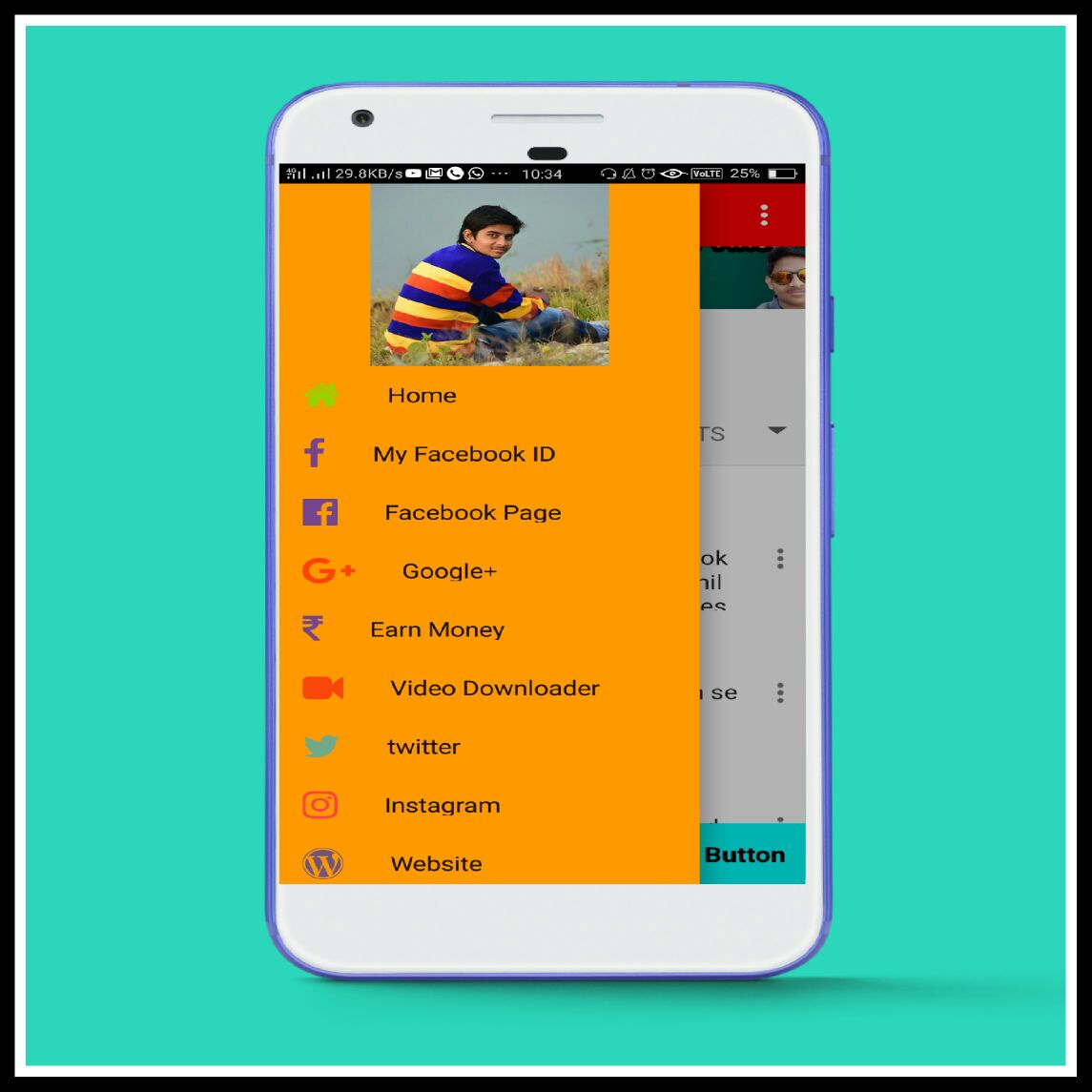
Professional Sidebar,SideMenu in thunkable,appybuilder,Makeroid

Professional Sidemenu in Thunkable,Appybuilder,Makeroid.


SideMenu

1=BackGround Colour
2=Change Icon to Facebook,youtube,yahoo,paypal,amazon,and many more new icons.
3=Change Selecticon Colour For example=When someone click on sidemenu icons then the clicked color will come the same is called the selected icon.

4=Please Download Font Awesomea And  Roboto  Medium ttf Files Link Given Below.
5=Please Also Watch Tutorial On Youtube Technical Sahil Apps video link given Below.


Download Link For Sidebar Fontawesome and Roboto=Click Here To Download

Please Watch Video Tutorial Part 1


Tuesday, 12 December 2017

Free Aia File of Makeroid,Appybuilder,thunkable Top 10

                                  Free Aia File


Download professional AIA file of Appy builder,mekeroid,thunkable.

Top 10 Aia Files


Link Here
⏬⏬⏬⏬⏬⏬⏬⏬⏬⏬⏬⏬⏬

                            ⇩⇩⇩⇩⇩⇩⇩⇩⇩⇩⇩⇩⇩⇩⇩⇩⇩⇩⇩⇩⇩⇩⇩⇩⇩⇩⇩⇩⇩⇩⇩

Watch Video And give a like,Dont Forgot to Subscribe .


Download All Top 10 Aia File here

 Click on this link=https://drive.google.com/drive/folders/1dGRkT8T4Zndu0P3ddrBt8TmtYoCBs8uN